





TronShop v1.105: new admin homepage, roles and GA4

TronShop v1.105 is released on 21–22 October 2026, covering the storefront and the shop admin together. It gives shop owners a clearer view of how their shop is doing, more control over who can change what, and several tasks they can now handle in the admin themselves instead of asking our support team.
This article gives a short overview of each area. The full release notes (PDF) explain every change in detail.
A new admin homepage that shows progress from day one
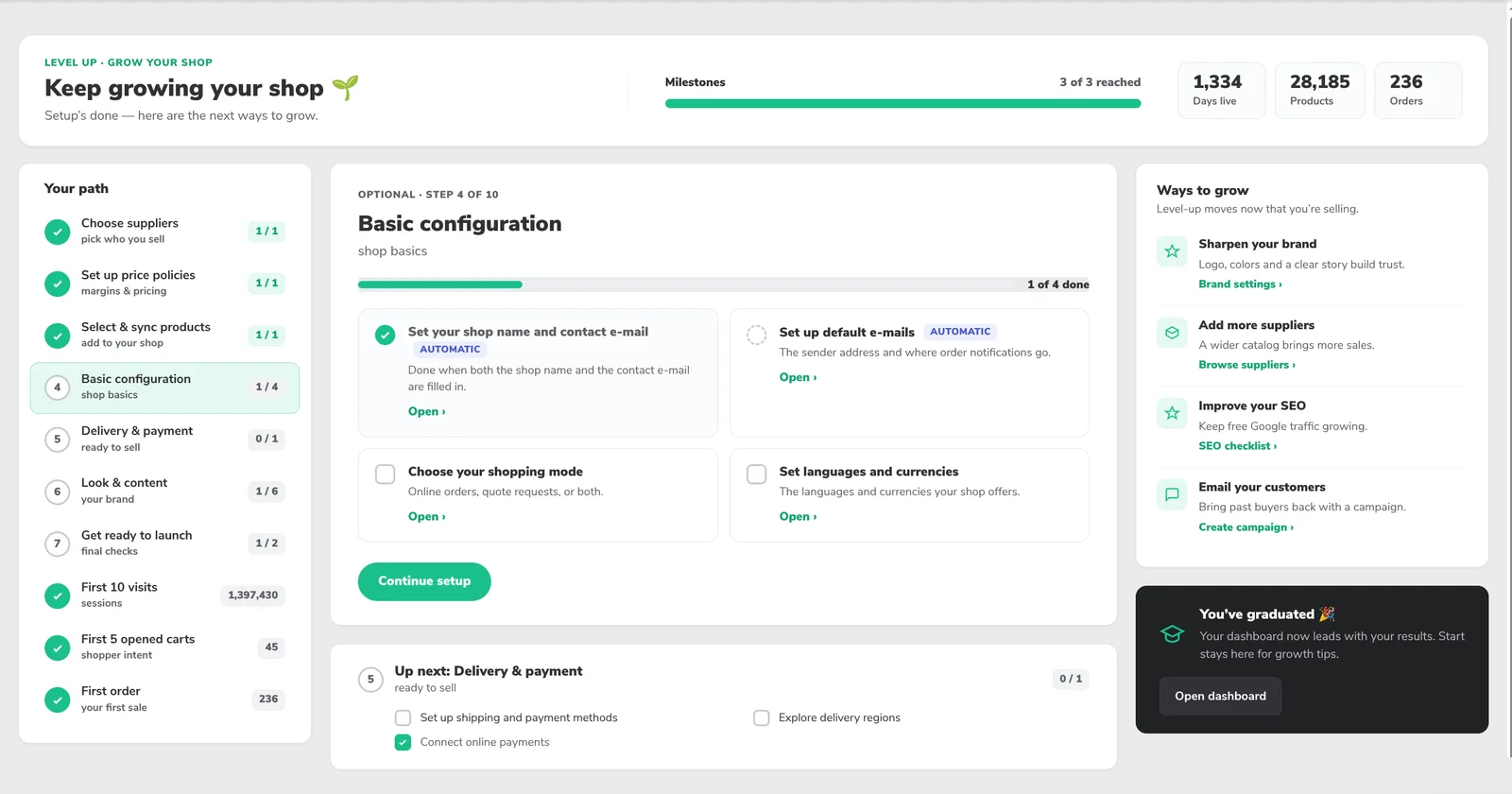
Until now, a shop owner logging in saw two sales charts that stayed flat at zero until the first sale. The admin homepage has been rebuilt around three new pages at the top of the menu: Start, Dashboard and Insights.
Start is a setup guide that walks a new shop through its setup steps and towards its first milestones: 10 visits, 5 carts and the first order. Many tasks tick themselves, because they are detected from the shop's own data. Dashboard shows the key numbers for the shop's stage with trends, and every card suggests a next step. Insights shows the shopping funnel in more detail, conversion over time, the most-viewed or best-selling products and the top search terms.
Read everything in the full release notes (PDF).
Roles and permissions for everyone in the shop admin
The shop admin used to be all-or-nothing: everyone from the company could change everything. Now the shop owner or an administrator decides, per person and per area, whether a colleague has no access, can view or can manage. Areas include orders, enquiries, customers, products, content, marketing, settings and users.
This is enforced by the server, not just by hiding buttons, and saved secrets such as payment gateway keys are never shown again after saving. Nobody loses access on release day: everyone who uses the admin today becomes an administrator of their shop.
Read everything in the full release notes (PDF).
Built-in Google Analytics 4 tracking
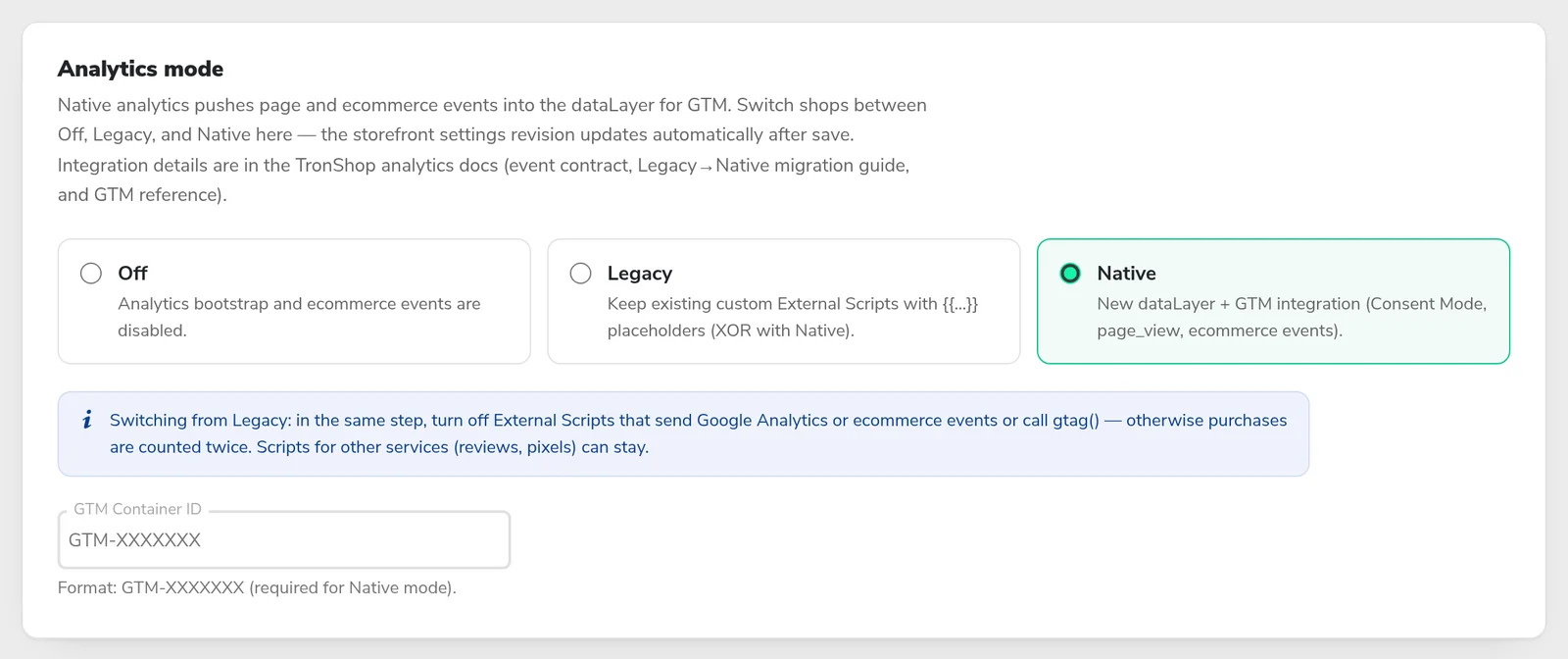
E-commerce tracking no longer has to depend on custom scripts that copy order data from the page and break when the storefront design changes. The shop itself now sends standard GA4 e-commerce events to the merchant's own Google Tag Manager container, covering the whole shopping journey from product lists to purchase.
Tracking follows the visitor's cookie choice through Google Consent Mode v2, and a ready-made container import file makes the setup quicker. Every existing shop stays on its current tracking until it chooses to switch.
Read everything in the full release notes (PDF).
The e-mail module, rebuilt
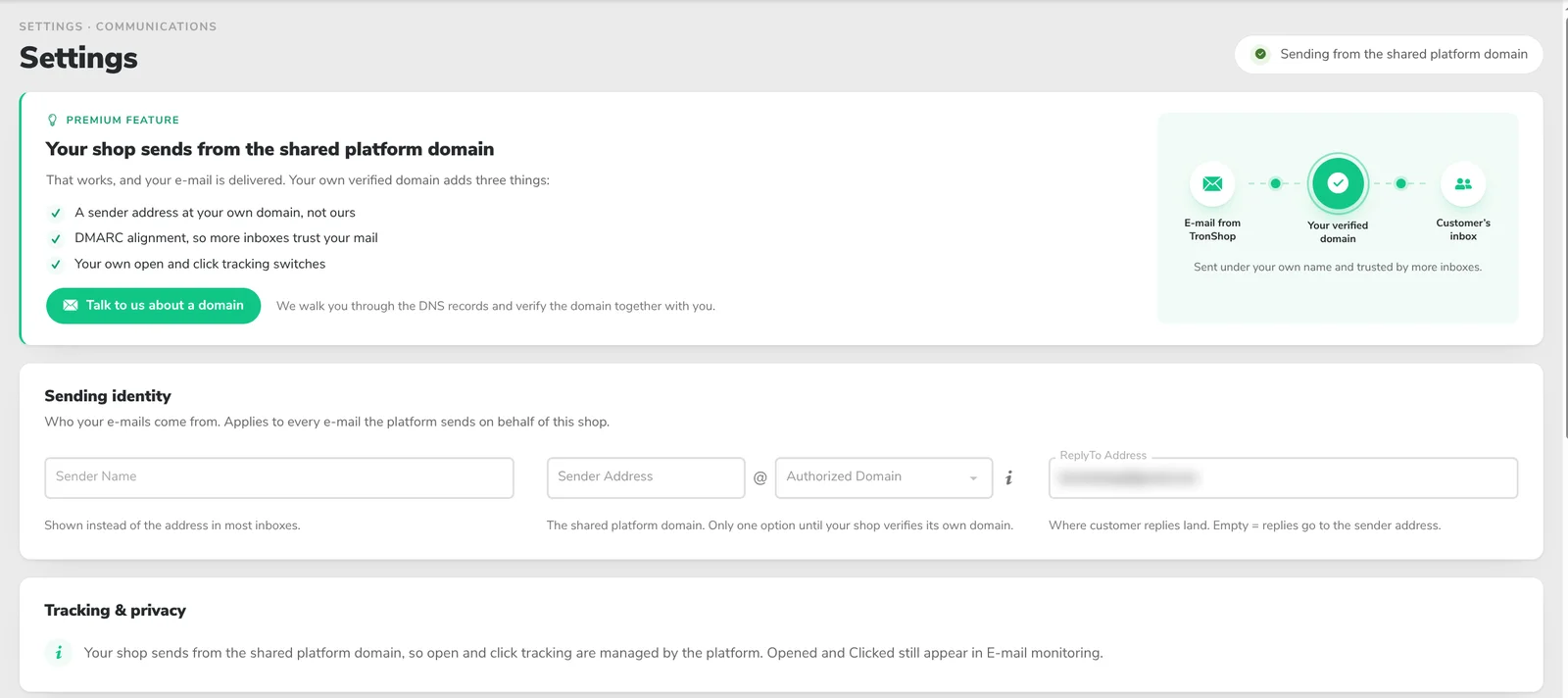
"Did my customer get the order confirmation?" can now be answered in the admin. Merchants can see every e-mail the shop sent in the last 12 months with its delivery state, and undelivered e-mails are listed with a plain reason such as "Invalid address" instead of a technical code.
E-mail settings are written in plain language: who the shop sends as, whether the shop receives copies of customer e-mails (this can now be switched off) and where internal notifications go. The template list shows who each template reaches and which languages it covers.
Read everything in the full release notes (PDF).
Customise the registration, enquiry and checkout forms
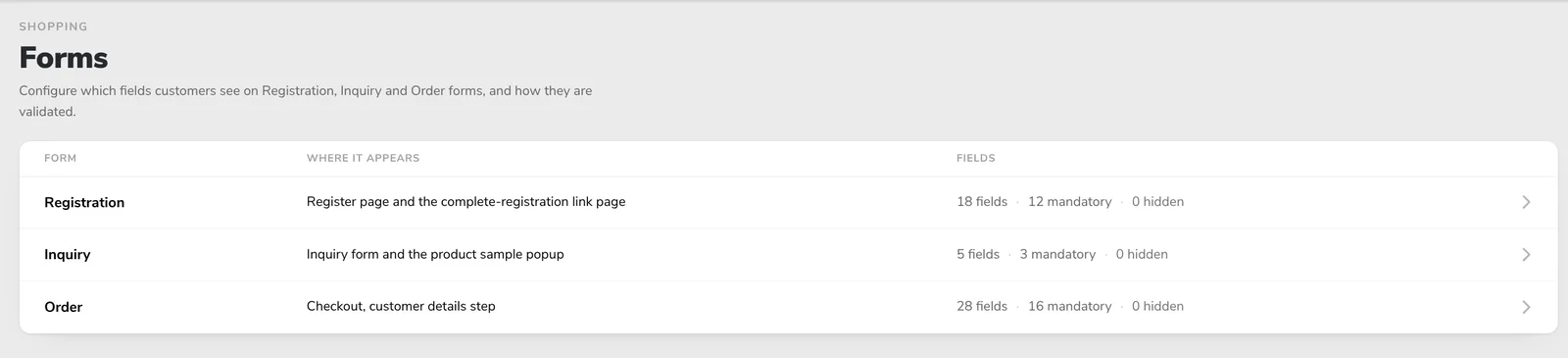
Changing which fields a shop form shows or requires used to need a request to our team. Merchants can now do it themselves in Settings → Shopping → Forms: each field can be hidden, optional or required, with its own length, input type and format check.
B2B shops can also require a VAT number that is registered in the EU's VIES register. If VIES does not answer in time, registration and checkout are not blocked.
Read everything in the full release notes (PDF).
Product feeds: as many as you need
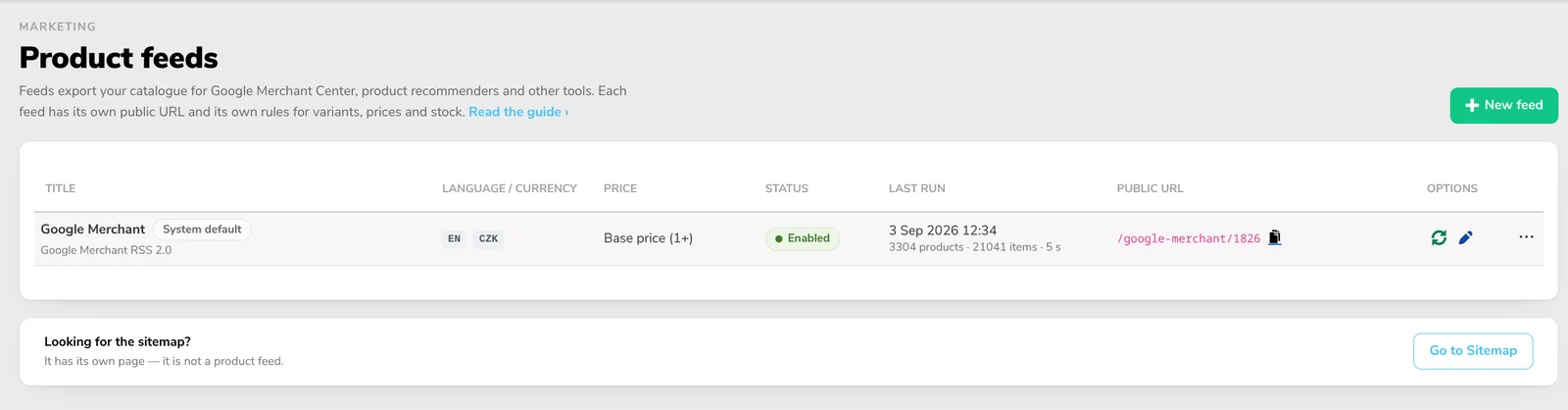
A shop used to have one fixed Google Merchant feed in its main language. Merchants can now create any number of feeds in Marketing → Product feeds, each with its own address, language, currency and rules. Ready-made presets cover Google Merchant, product recommenders for chatbots and OpenAI / ChatGPT shopping, and a custom option unlocks every setting.
One change applies to every shop: the existing Google Merchant feed keeps its address, but now sends the base price shown on the product page and follows the shop's VAT display. The release notes explain what this means for prices in Merchant Center.
Read everything in the full release notes (PDF).
SEO wave 2
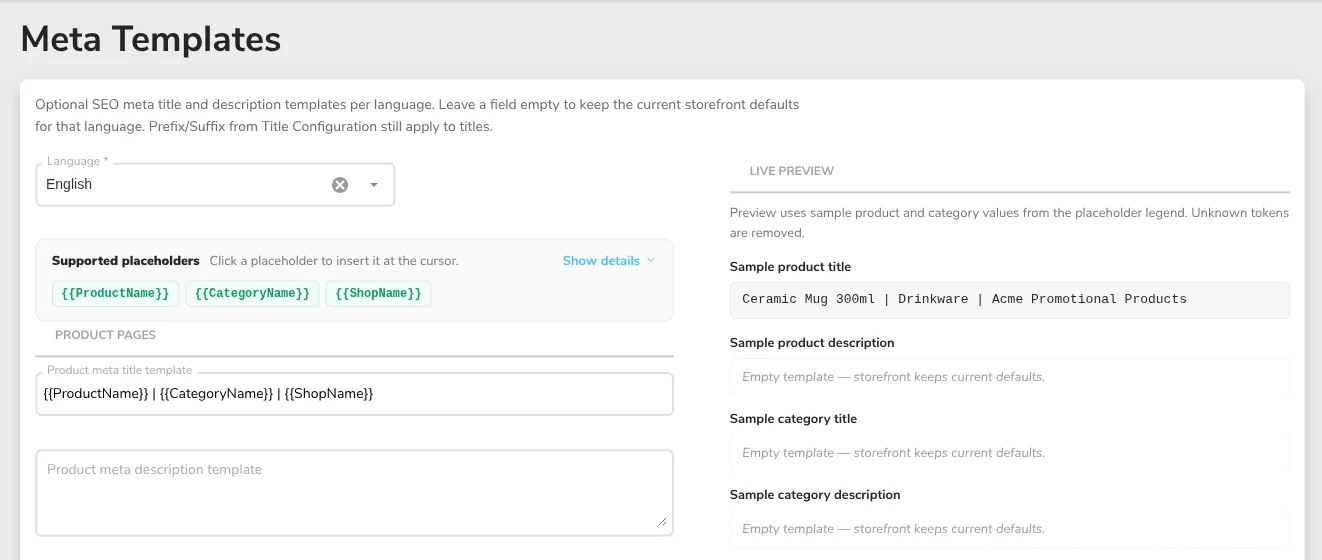
Every product page is back in the sitemap, which now has its own admin page. Merchants can keep a page or category out of search engines and set its preferred address, and meta templates set one title and description pattern for all product or category pages, with a live preview.
Google also receives richer structured data about the shop, the company and its products. Product links that no longer work return a real "404", and redirects can now match old links that carry extra parameters, which matters for shops moving from other platforms.
Read everything in the full release notes (PDF).
Security
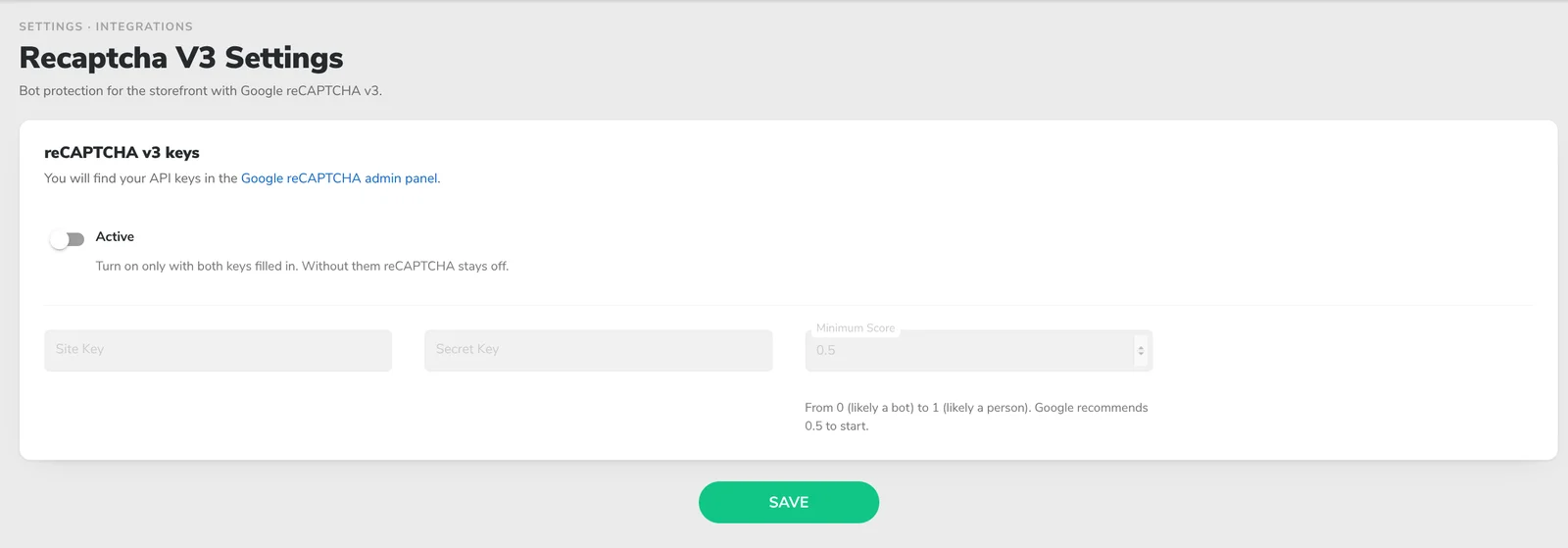
Account forms no longer reveal whether an e-mail address is registered, and shops can switch on Google reCAPTCHA v3, an invisible bot check, on account forms. Text a customer types into a form is always shown as plain text in e-mails, PDFs and the cart, and the admin now checks every request against the shop the user has rights to.
Read everything in the full release notes (PDF).
Usability
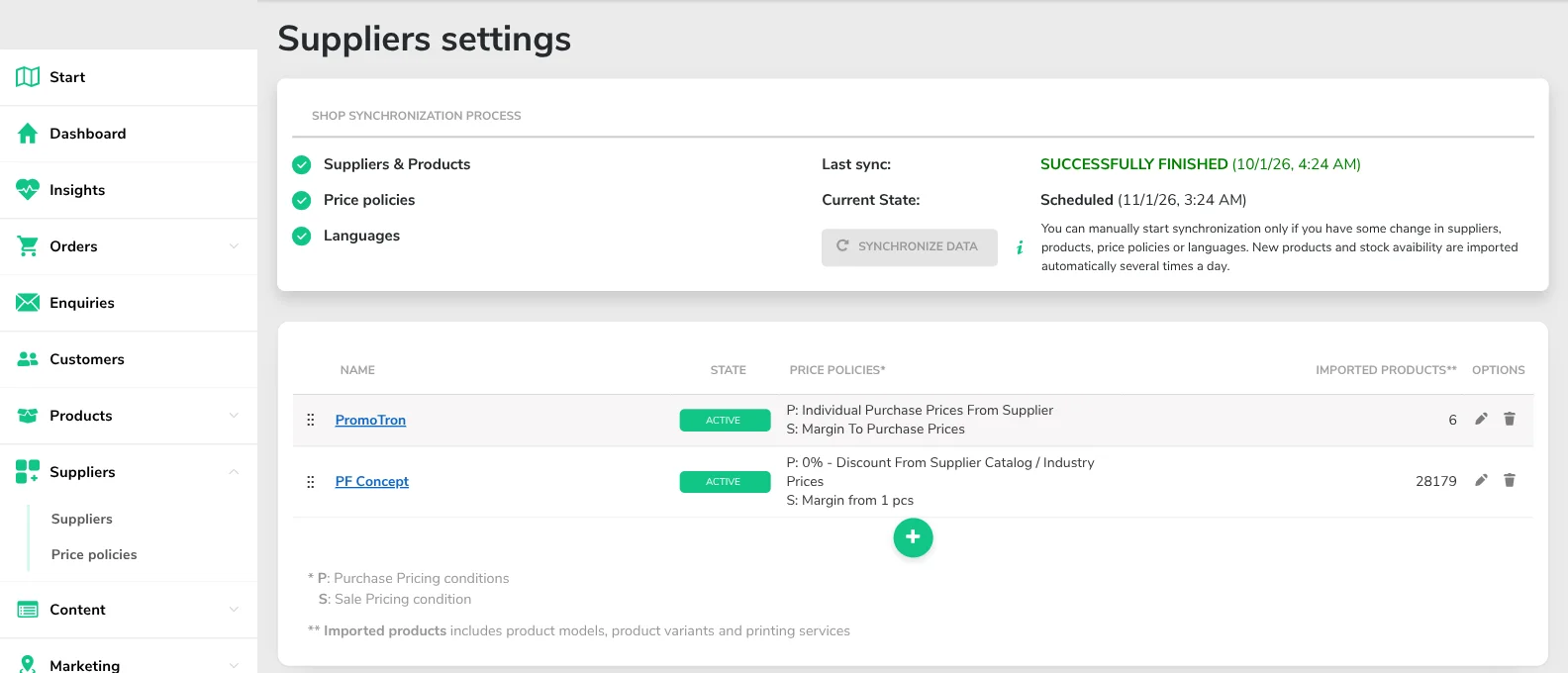
Supplier settings and price policies have moved to their own Suppliers menu, and merchants who sell their own products can add themselves as a supplier. Back buttons return to the list you came from, and changes to pages, menus, banners and most settings now show on the shop within a minute.
Enquiry replies fill in the subject for you, logged-in customers find the enquiry form already filled in, and a connected system such as a CRM or accounting tool can mark an order as paid through the TronShop API.
Read everything in the full release notes (PDF).
Bug fixes
This release also fixes more than 30 issues. Among them: online payments are always charged in the order's currency, Stripe "payment received" e-mails are no longer lost, storefront search ranks results more precisely, and coupons and delivery price tiers now work the way merchants expect.
Read everything in the full release notes (PDF).
